Product · Digital menu
One digital menu, every place guests look
This page is available in English for now.
A digital menu is your menu as structured data — items, prices, photos, allergens, languages — instead of a PDF or a printed card. Thmenu keeps that menu in one place and serves it everywhere guests meet it: a QR code on the table, a link on your website or your own domain, a self-order kiosk, and AI assistants that read menus.
How it works
Enter the menu once
Categories, items, prices, options, photos and allergens live in the Thmenu panel.
Choose how it looks
Pick a theme preset, colours, a font and a layout (grid, list or compact) so the menu matches the venue.
Publish it
The menu is live at its own link immediately; point a QR code, your domain or a kiosk tablet at it.
What the digital menu includes
- 01
A fast menu in the browser
Guests browse categories, search, open an item for photos and details, and switch currency or language — without an app.
- 02
Installable on the home screen
The menu is a progressive web app, so a regular guest can keep it on their home screen.
- 03
Item detail that answers questions
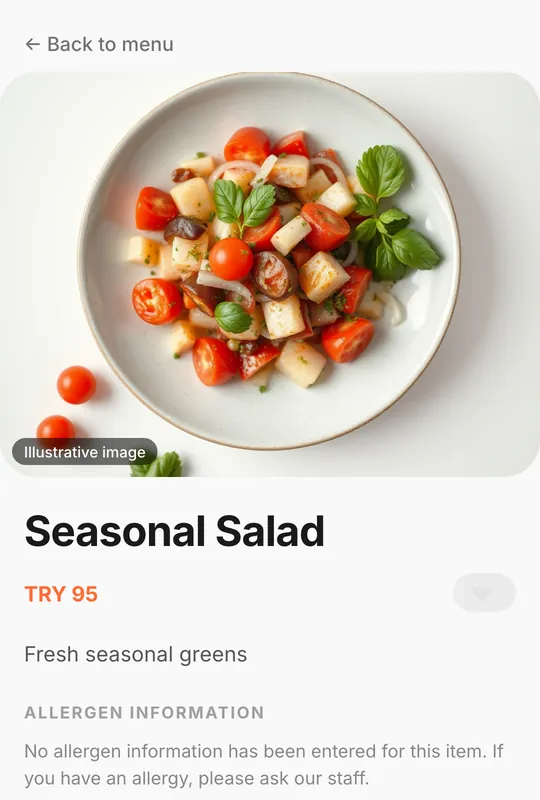
Each item has its own page with photos, description, price, options and allergen information.
- 04
Structured for search and AI
The menu page carries schema.org Restaurant and Menu data, so search engines and assistants can read items and prices as data, not as an image.
- 05
Kiosk and counter
The same menu can run full-screen on a tablet as a self-order kiosk at the counter.
Good to know
- Photos you can trust
- Where an item photo is illustrative rather than the real dish, the menu labels it "Illustrative image".
- Your data stays structured
- Because the menu is data, it can be exported and reused; it is not locked inside a picture.
Digital menu