Product · QR menu
A QR menu that stays current
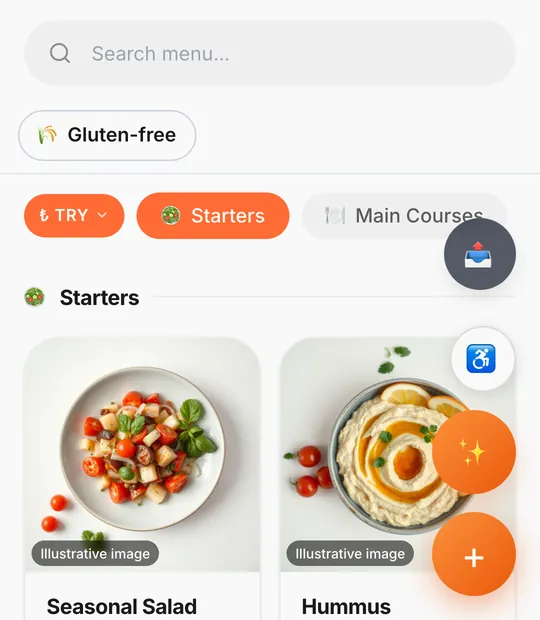
A QR menu is a printed code that opens your menu on the guest's own phone, in the browser, with nothing to install. With Thmenu each table (or room, or the whole venue) gets its own code, and the code points at your live menu — so a price change or a sold-out dish shows up for the next guest without reprinting anything.
How it works
Build or import the menu
Add categories and items by hand, or import an existing menu from a photo, a PDF or Word file, a spreadsheet or a web page, then review it before it goes live.
Create tables and print the codes
Add your tables and download a print-ready PDF with one QR code per table, or a single code for the counter and the window.
Guests scan
The camera opens the menu in the browser. The menu appears in the language the phone is set to, and the guest can switch language from the menu.
Change the menu any time
Edit a price, hide an item or mark it sold out in the panel; the printed code keeps working because it points at the menu, not at a file.
What your QR menu can do
- 01
Codes that survive changes
Each code goes through a permanent redirect that is worked out again on every scan, so moving to your own domain or renaming the menu link does not break the codes already on the tables.
- 02
Table, room and venue codes
A table code tells the menu which table is ordering; a general code opens the menu without a table; hotels can print one code per room for room service.
- 03
Photos, allergens and dietary filters
Item pages show photos, descriptions and the EU allergen information you enter, and guests can filter the menu by dietary needs.
- 04
Ordering when you are ready
The same menu can take orders from the table and send them to the kitchen screen. Leave ordering off and it stays a view-only menu.
- 05
See what gets scanned
Scans are counted per day and per table, so you can see when guests open the menu and which tables use it.
Good to know
- It is a web page, not an app
- Guests never install anything. They can add the menu to their home screen if they want to, but they do not need to.
- Keep a fallback
- Some guests prefer paper or have no phone with them. A QR menu works best alongside a printed copy at the counter.
QR menu