Product · Table ordering
Table ordering from the guest's phone
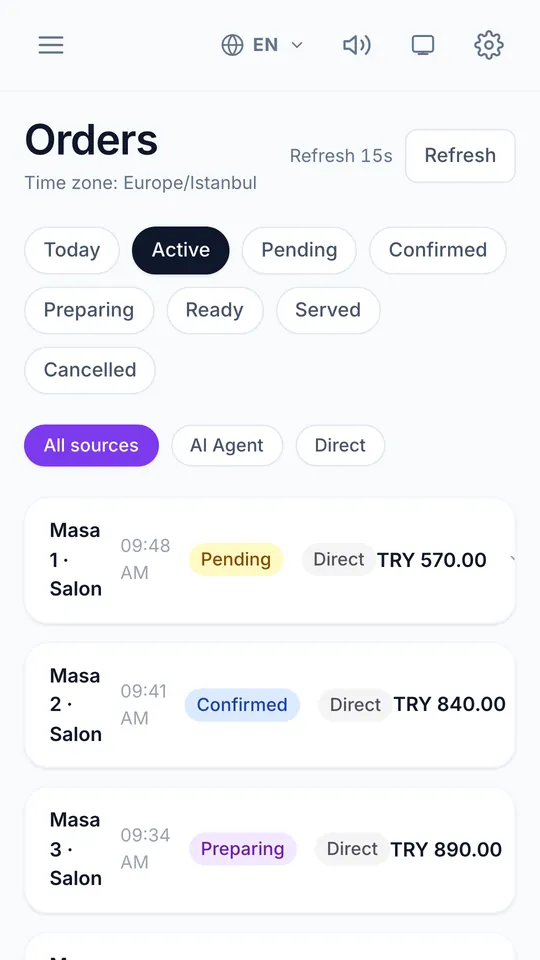
With table ordering, guests scan the code on their table, choose from the menu and send the order themselves. The order arrives on the kitchen display with the table number already on it, and the guest follows its status on the same page — scan, browse, order, kitchen.
Scan → Browse → Order → Kitchen
Scan
The table's own code opens the menu and tells it which table is ordering.
Browse
Guests read the menu in their language, choose options and add notes.
Order
The order is sent to the restaurant. A second phone that scans the same table joins the same table session.
Kitchen
Staff see it on the kitchen display and move it through confirmed, preparing, ready and served — the guest sees each step.
Built for a real service
- 01
Kitchen display
A PIN-protected kitchen screen shows incoming orders by status; stations can split the work.
- 02
Staff approval when you want it
Require a staff member to accept each order before it reaches the kitchen, or let orders flow straight through.
- 03
Waiter call and bill request
Guests can call a waiter or ask for the bill from the menu; staff are notified, including on the staff watch apps.
- 04
Orders entered by staff
Staff can also enter an order for a table themselves, so phone and paper orders end up in the same place.
- 05
Receipt and kitchen printers
Kitchen tickets and receipts can be printed on ESC/POS printers connected over USB, serial or Bluetooth from Chrome or Edge.
Good to know
- Closed means closed
- Holiday mode stops new orders, and an optional Wi-Fi mode lets you accept orders only from guests on the venue's network.
- Paying is a separate step
- Guests can order now and pay at the end — at the table online where available, or the usual way.
Table ordering